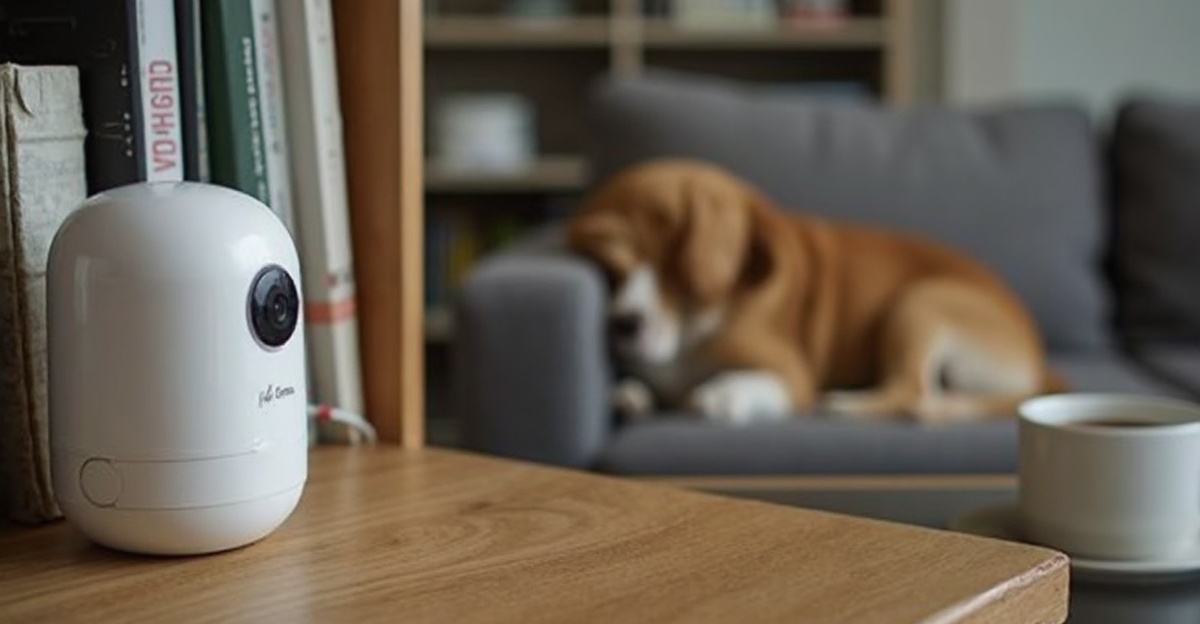
Separation anxiety goes both ways. Your dog worries when you leave, and you spend your entire workday wondering if they’re destroying the couch. A pet camera gives you real-time video, two-way communication, and — in some cases — the ability to launch a treat across the room from your office. We tested six pet cameras over four weeks, evaluating video quality, app reliability, audio clarity, treat-tossing accuracy, and the feature that actually matters most: whether the notification system correctly distinguishes your pet from a shadow.
What to Look For in a Pet Camera
- Video quality: 1080p minimum. 2K or 4K is nice but unnecessary unless you need to zoom in on details. Night vision is essential since pets are most active at dawn and dusk.
- Two-way audio: Talk to your pet and hear them back. Quality varies dramatically — cheap cameras have tinny audio that confuses pets.
- Treat dispenser: Some cameras launch treats at the touch of a button. Useful for reinforcing calm behavior remotely and making alone time more positive.
- Smart alerts: AI-powered bark/meow detection that notifies you only when something’s happening, not every time a shadow moves across the room.
- Privacy: Look for local storage options and the ability to disable the camera without uninstalling. Check the manufacturer’s privacy policy regarding cloud footage.
Top 6 Pet Cameras
1. Furbo 360 Dog Camera — Best Overall
The Furbo 360 has become the default pet camera recommendation, and the latest version justifies it. Full 360-degree rotation means no blind spots, the treat launcher shoots up to 6 feet with adjustable trajectory, and the AI-powered bark detection sends phone notifications with a video clip of what triggered the alert. The 1080p video is sharp, night vision is clear, and the two-way audio is loud enough to get your dog’s attention from across the room.
The subscription plan ($7/month) unlocks smart alerts, activity tracking, and a “doggy diary” of daily highlights. The free tier gives you live view and manual treat tossing.
| Pros | Cons |
|---|---|
| 360-degree rotation — no blind spots | Subscription needed for smart features |
| Reliable treat launcher | Treat hopper holds limited treats |
| AI bark detection is accurate | Larger than competing cameras |
| Good video quality day and night | WiFi-only (no cellular backup) |
2. Petcube Bites 2 Lite — Best Value
At roughly half the price of Furbo, the Petcube Bites 2 Lite offers 1080p video, two-way audio, a treat dispenser, and sound/motion alerts. The 160-degree wide-angle lens covers most rooms without needing to rotate. The app is clean and responsive. It lacks Furbo’s AI sophistication and 360 rotation, but for straightforward pet monitoring with treat-tossing, the value is excellent.
3. Wyze Cam v3 — Best Budget (No Treat Dispenser)
If you just need eyes on your pet without treat-tossing bells and whistles, the Wyze Cam v3 at $25-35 is unbeatable. Excellent 1080p video, color night vision (not just infrared), and motion/sound detection — all without a subscription for basic features. It’s not a pet camera specifically, but it does the monitoring job just as well as cameras costing 5x more.
4. Eufy Pet Camera D605 — Best Privacy-Focused
Eufy’s pet camera stores all footage locally on a built-in 16GB SD card — no cloud subscriptions, no footage on third-party servers. For privacy-conscious owners, this is a major selling point. The 2K video quality is the sharpest on this list, the AI detects pets specifically (not just motion), and the treat dispenser works reliably. If you don’t want your pet footage on anyone else’s server, this is your camera.
5. Owlet Home Pet Camera — Best Audio Quality
Two-way audio on most pet cameras sounds like a speakerphone from 2005. The Owlet uses a larger speaker driver and noise-canceling microphone that makes your voice sound natural enough that dogs and cats actually respond to commands. The 2K video and wide-angle lens are excellent, and the motion tracking follows your pet across the room automatically.
6. PetFon GPS Pet Camera — Best for Indoor/Outdoor
Unlike stationary cameras, the PetFon is designed to monitor both indoor and outdoor spaces. With GPS tracking capability and a weatherproof housing, it works in the backyard, kennel, or patio. The real-time GPS shows your pet’s location on a map, and the two-way audio carries clearly outdoors. Battery lasts about 8 hours, or you can hardwire it for permanent installation.
Comparison Table
| Camera | Resolution | Treat Dispenser | Storage | Price |
|---|---|---|---|---|
| Furbo 360 | 1080p 360° | Yes | Cloud (sub) | $$$$ |
| Petcube Bites 2 | 1080p 160° | Yes | Cloud (free tier) | $$$ |
| Wyze Cam v3 | 1080p | No | SD card + cloud | $ |
| Eufy D605 | 2K | Yes | Local SD card | $$$ |
| Owlet Home | 2K | No | Cloud + SD | $$ |
| PetFon GPS | 1080p | No | Cloud | $$$ |
Choose a Pet Camera by the Problem You Need to Solve
A pet camera is not automatically better because it has more features. The right choice depends on why you are buying it: separation anxiety checks, treat tossing, barking alerts, two-way talk, or simply knowing whether your pet is safe while you are away. Start with the problem, then choose the feature set.
| Main Use | Feature to Prioritize | Nice to Have |
|---|---|---|
| Separation anxiety | Reliable motion and sound alerts | Event history clips |
| Training check-ins | Clear two-way audio | Treat tossing |
| Multiple pets | Wide field of view or pan/tilt | Person/pet detection |
| Overnight monitoring | Good night vision | Adjustable notification zones |
Subscription Costs and Privacy Checks
Some pet cameras are cheap up front but become expensive if useful features require a monthly plan. Before buying, check whether cloud clips, smart alerts, and multi-day history are included or locked behind a subscription. For many homes, live view plus basic alerts is enough; for anxiety tracking, recorded clips may be worth paying for.
Privacy also matters. Use a strong password, turn on two-factor authentication if available, and avoid pointing the camera at private spaces. If you only need daytime check-ins, schedule the camera or unplug it when it is not needed.
Placement Tips for Better Footage
Place the camera where your pet actually spends time, not where the room looks neat. For dogs, that may be a crate, sofa, door, or food area. For cats, aim at windows, beds, litter room entrances, or favorite shelves. Test the angle from the app before leaving home so the pet does not spend all day just outside the frame.
Camera Placement and Treat Dispenser Reality
Pet cameras work best when they are aimed at predictable behavior zones: the sofa, crate area, feeding station, favorite window, or the door where your pet waits. A camera in the middle of a room can miss the useful details if the pet spends most of the day in a corner. Test the angle with your phone before mounting anything permanently.
If the camera has a treat dispenser, check treat size, launch strength, and cleaning access. Some pets love the feature, while others get frustrated if treats scatter under furniture. Treat tossing should support training and enrichment, not become the only interaction your pet gets during the day.
| Feature | Good Use | Potential Problem |
|---|---|---|
| Pan and tilt | Tracking pets across a room | Slow controls make live viewing frustrating |
| Two-way audio | Short reassurance or commands | Some pets become more anxious hearing you |
| Treat tossing | Rewarding calm behavior | Jams, overeating, or resource guarding |
| Cloud clips | Reviewing events after alerts | Monthly cost adds up |
Best for / Skip if
Best for: owners who want quick check-ins, short clips, and a better picture of what happens while pets are alone.
Skip if: you need a medical monitor, a full security system, or a fix for severe anxiety. A camera can reveal patterns, but it does not replace training, enrichment, or veterinary guidance.
Frequently Asked Questions
Do pet cameras help with separation anxiety?
They help YOU manage it by providing visibility, but the camera itself doesn’t calm the dog. However, treat-dispensing cameras can be used to reward calm behavior remotely, and two-way audio lets you interrupt stress behaviors. Pair camera monitoring with proper anxiety treatment for best results.
Can cats use treat-dispensing cameras?
Cats generally aren’t as motivated by launched treats as dogs, but many cat owners find the cameras useful for monitoring behavior, especially for cats with medical conditions. The two-way audio can comfort some cats, and the motion tracking captures entertaining footage of cat antics.
How much WiFi bandwidth does a pet camera need?
A 1080p camera streams at roughly 2-4 Mbps. A 2K camera needs 4-8 Mbps. If you have multiple smart home devices, ensure your upload bandwidth can handle the camera without stuttering. Most modern internet connections handle one camera fine, but check your upload speed if you experience choppy video.
A camera is especially valuable if your pet has separation anxiety. Our guide to dog toys for aggressive chewers covers boredom busters that keep dogs occupied while you’re watching from work. For cats, our self-cleaning litter box guide pairs perfectly with camera monitoring for a fully automated setup.
Pet Product Specialist & Veterinary Nutrition Consultant
Sarah has spent over 8 years reviewing pet products and consulting with veterinarians to help pet owners make informed choices. She shares her home with two rescue dogs, a senior cat, and a very opinionated parrot. Her reviews combine hands-on testing with science-backed research.
Disclosure: This post contains affiliate links. If you purchase through our links, we may earn a small commission at no extra cost to you. Learn more.